Adobe Admin Console
2016–2017
I led a small design team on the Adobe Admin Console, where businesses buy Adobe and manage their licences, users and payments. I set the direction and roadmap with our product managers, ran the research and testing, and designed the core flows myself. We launched in early 2017, and customer adoption grew 200%.
The team
Companies were still buying Photoshop in a box. As Adobe moved to subscriptions, teams of a dozen to thousands had to buy, assign and renew software by name, across three clouds that had never shared a front door. We were three designers, a researcher, four product managers and twenty-plus engineers.
We built on Spectrum, Adobe’s new design system, before it had shipped on the web, so the console looked like the rest of Adobe from day one.

Journey workshop
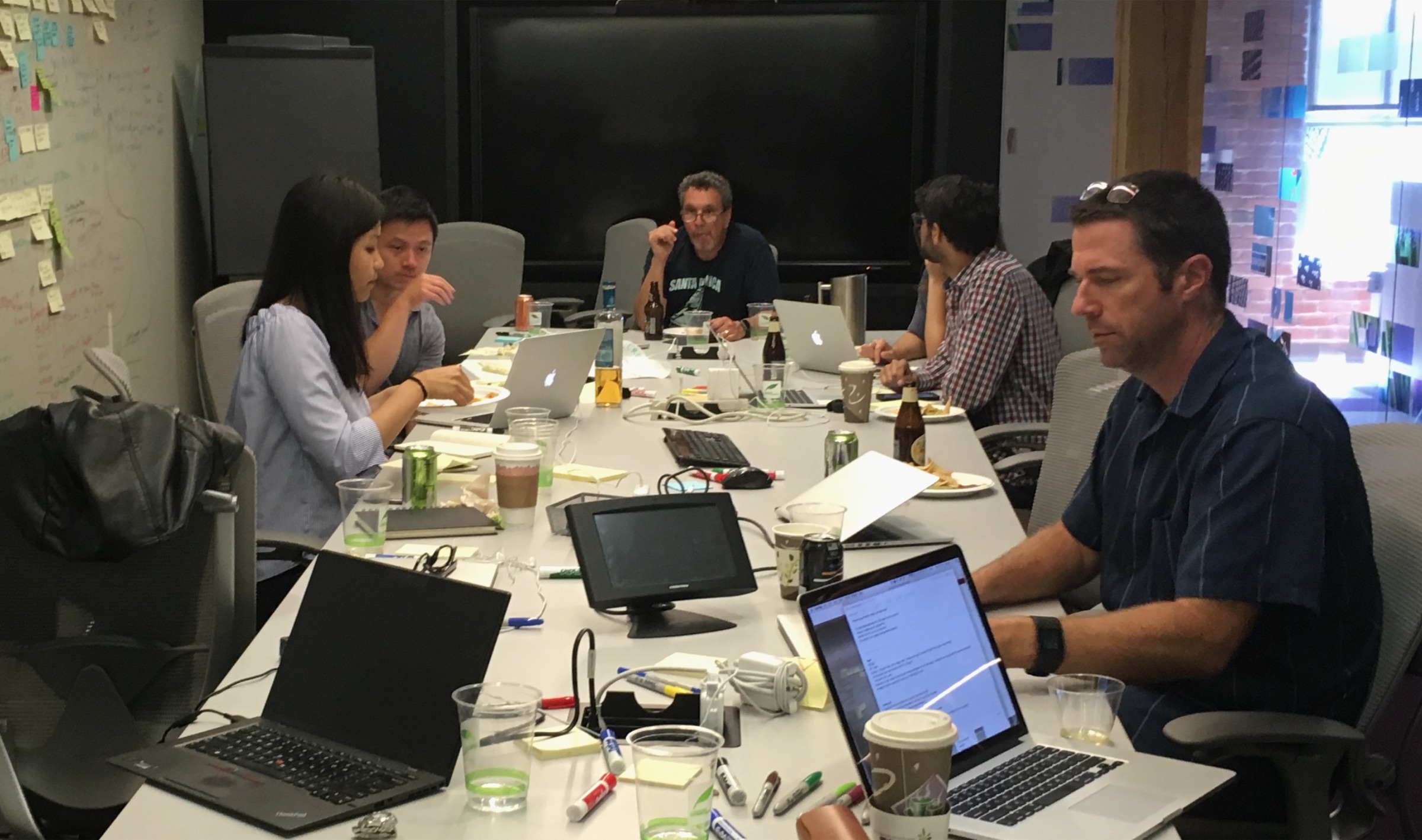
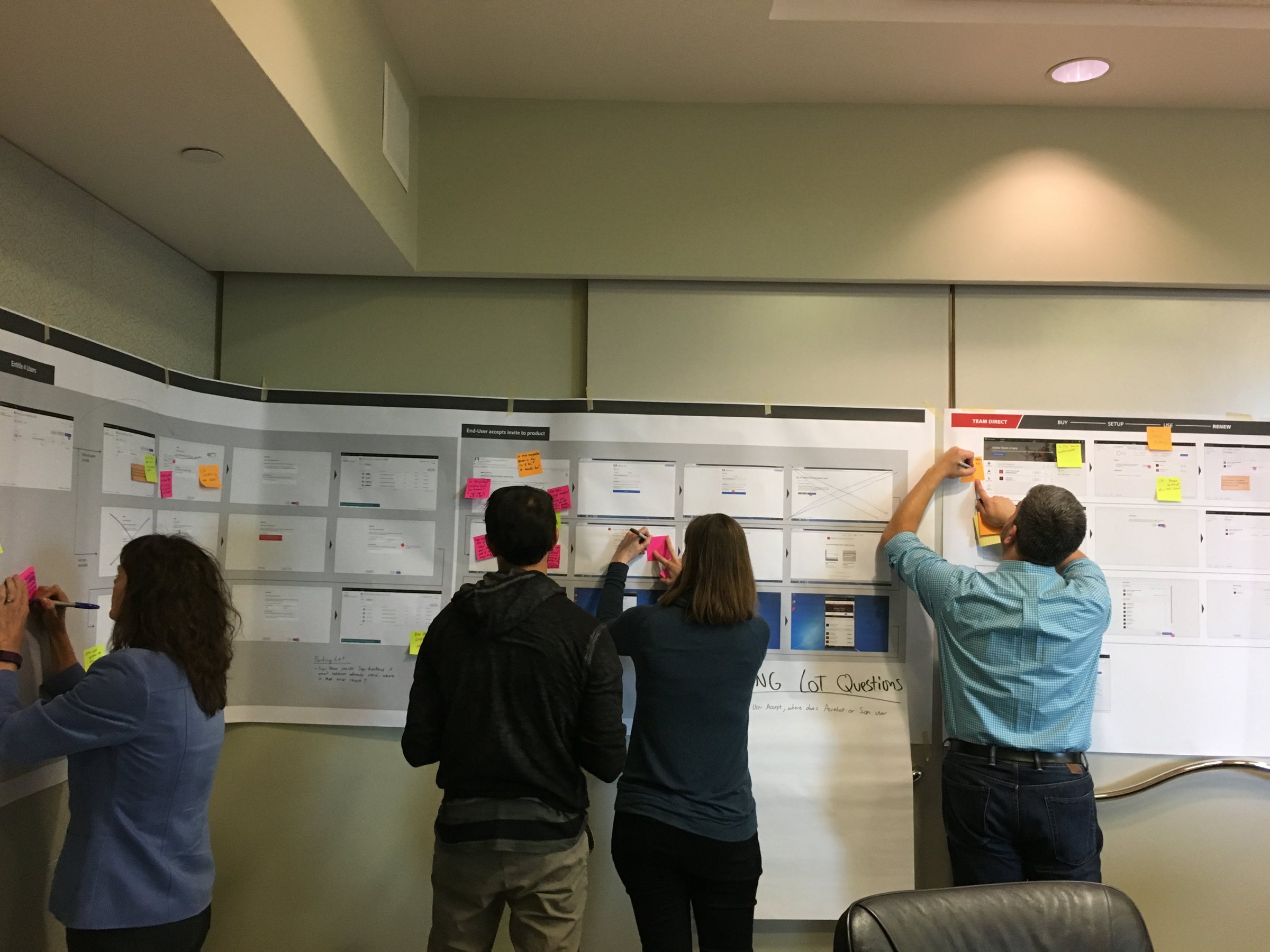
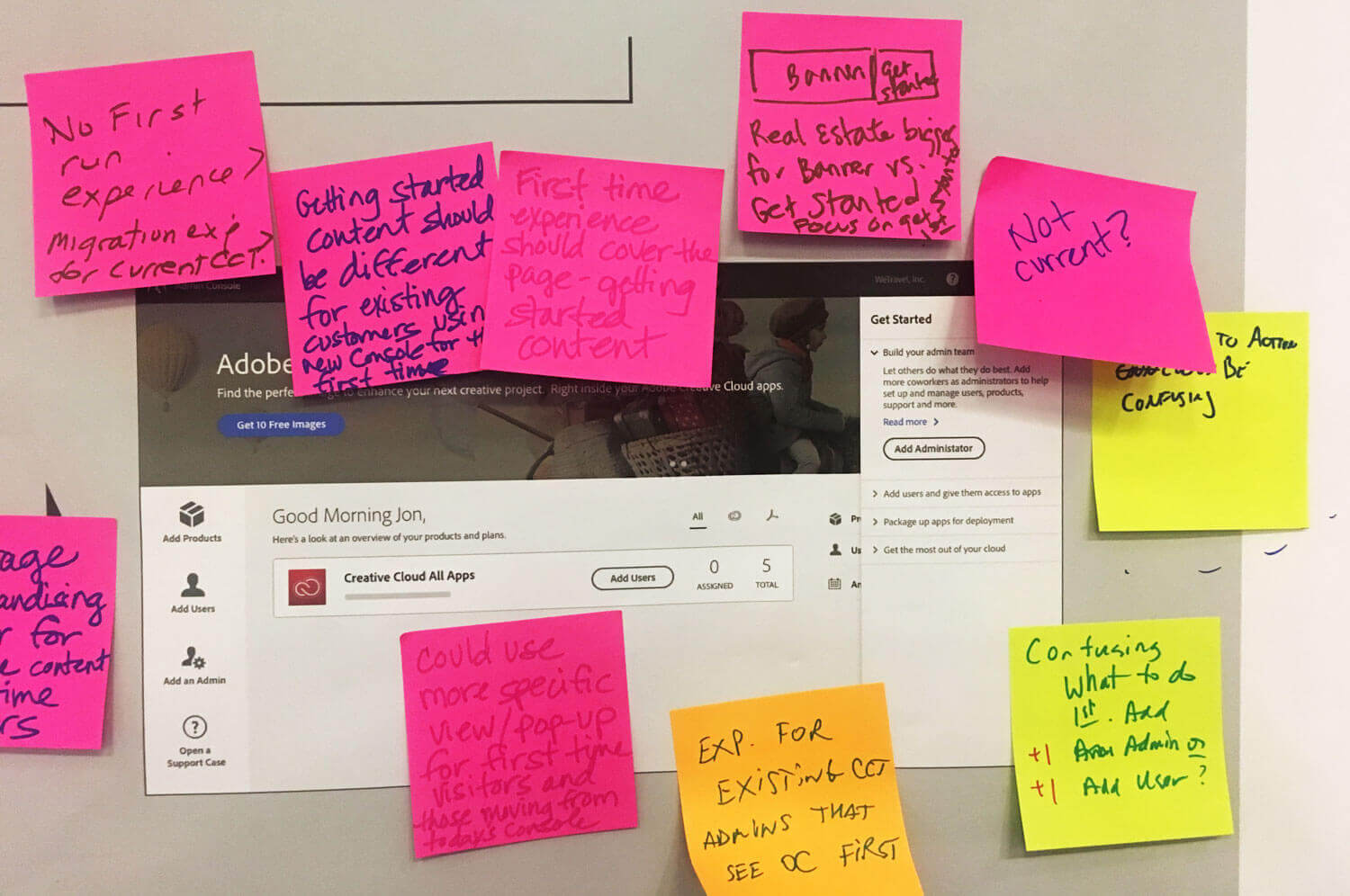
No one at Adobe could see the whole journey. I brought product, sales, support and design into one room for two days and walked every step a business takes, from buying to renewing. The wall of printed screens and notes became our roadmap.
What we built
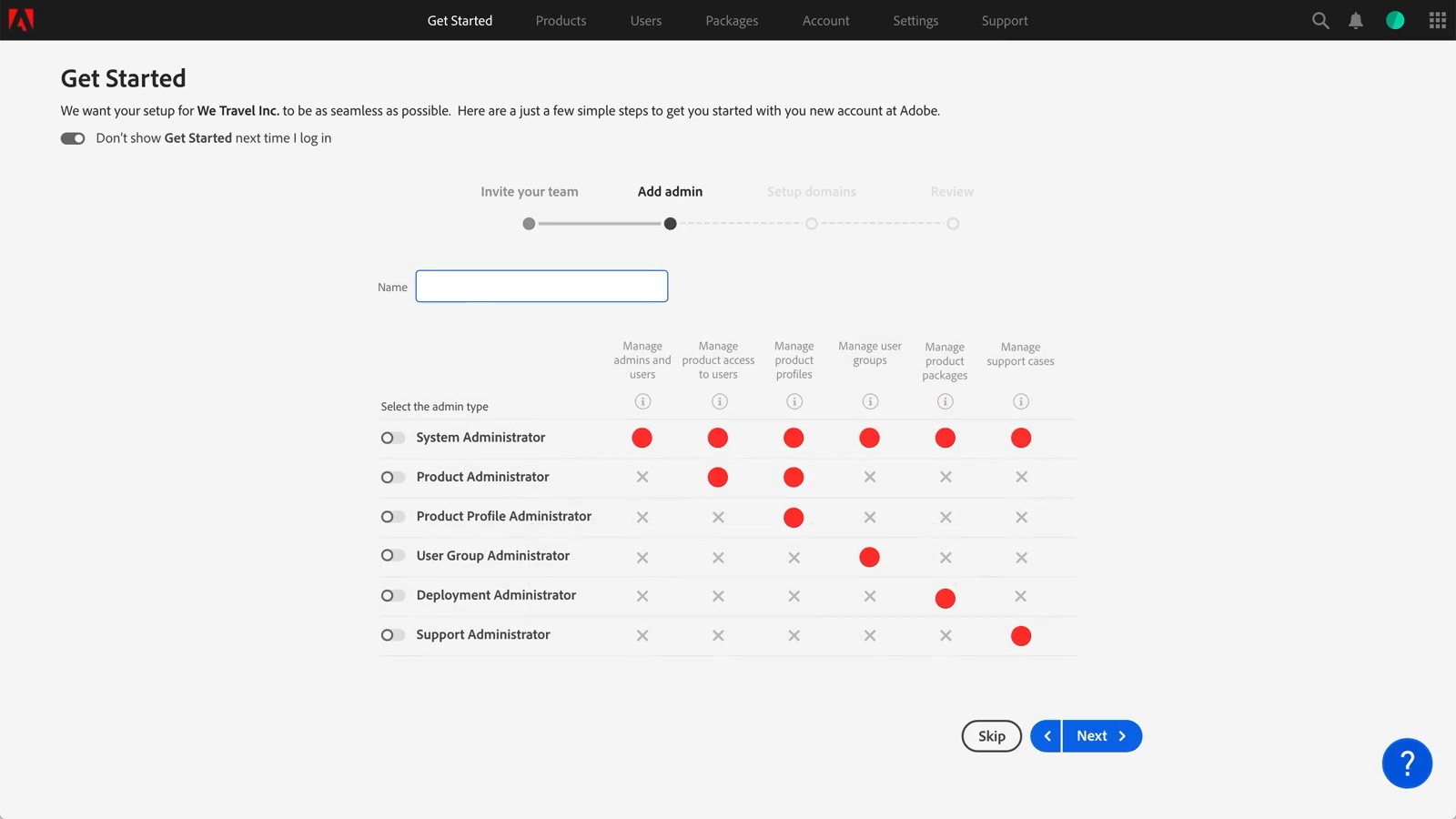
Onboarding from weeks to hours
One guided flow invites the team, adds other admins and sets up domains, with access control built in from the first step and a short guide to the products they bought.
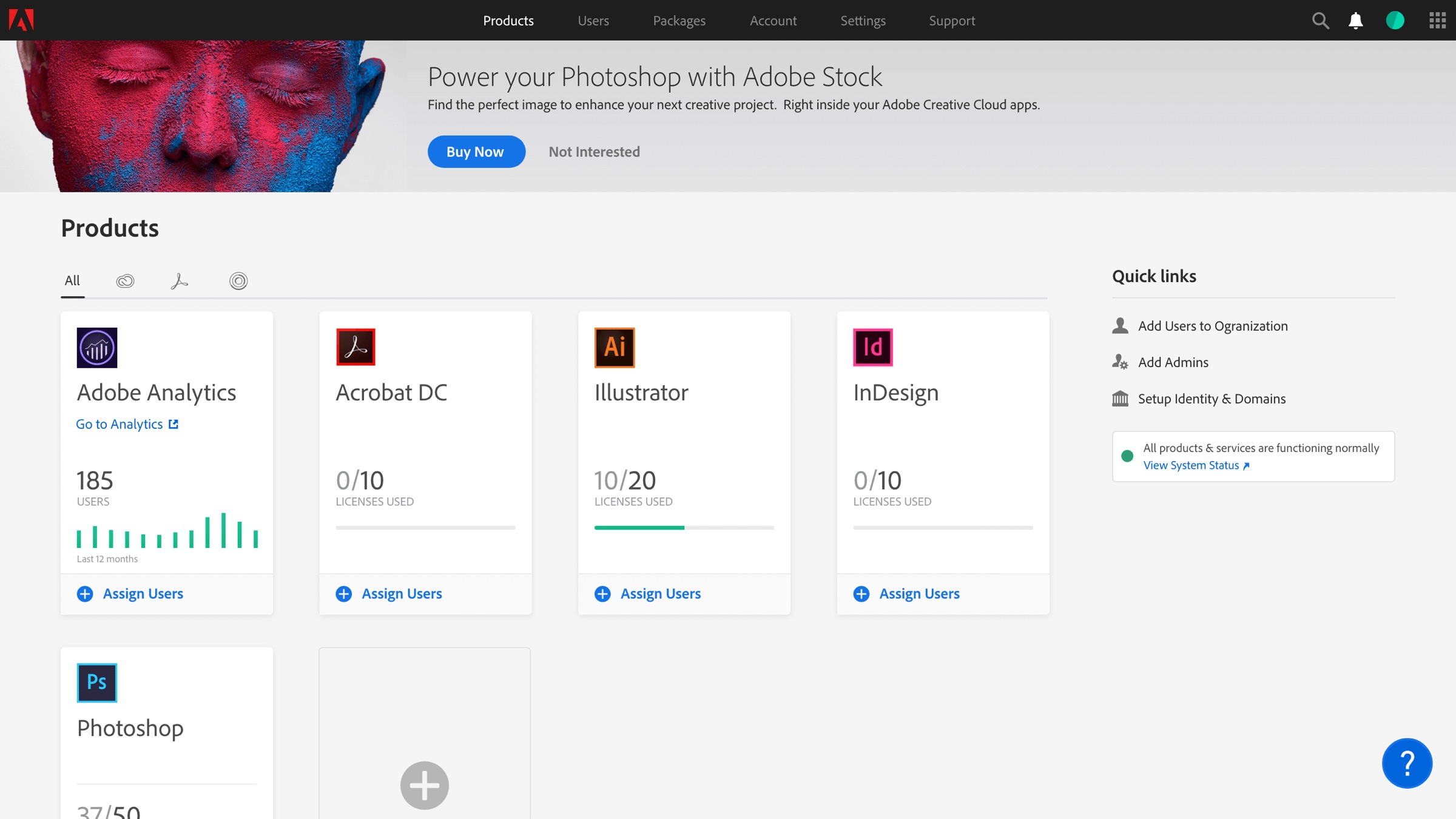
Every licence on one page
Admins had no one place to see what they’d bought. Now one dashboard shows usage, licence costs and assignments for every product, and adds or removes licences right there.
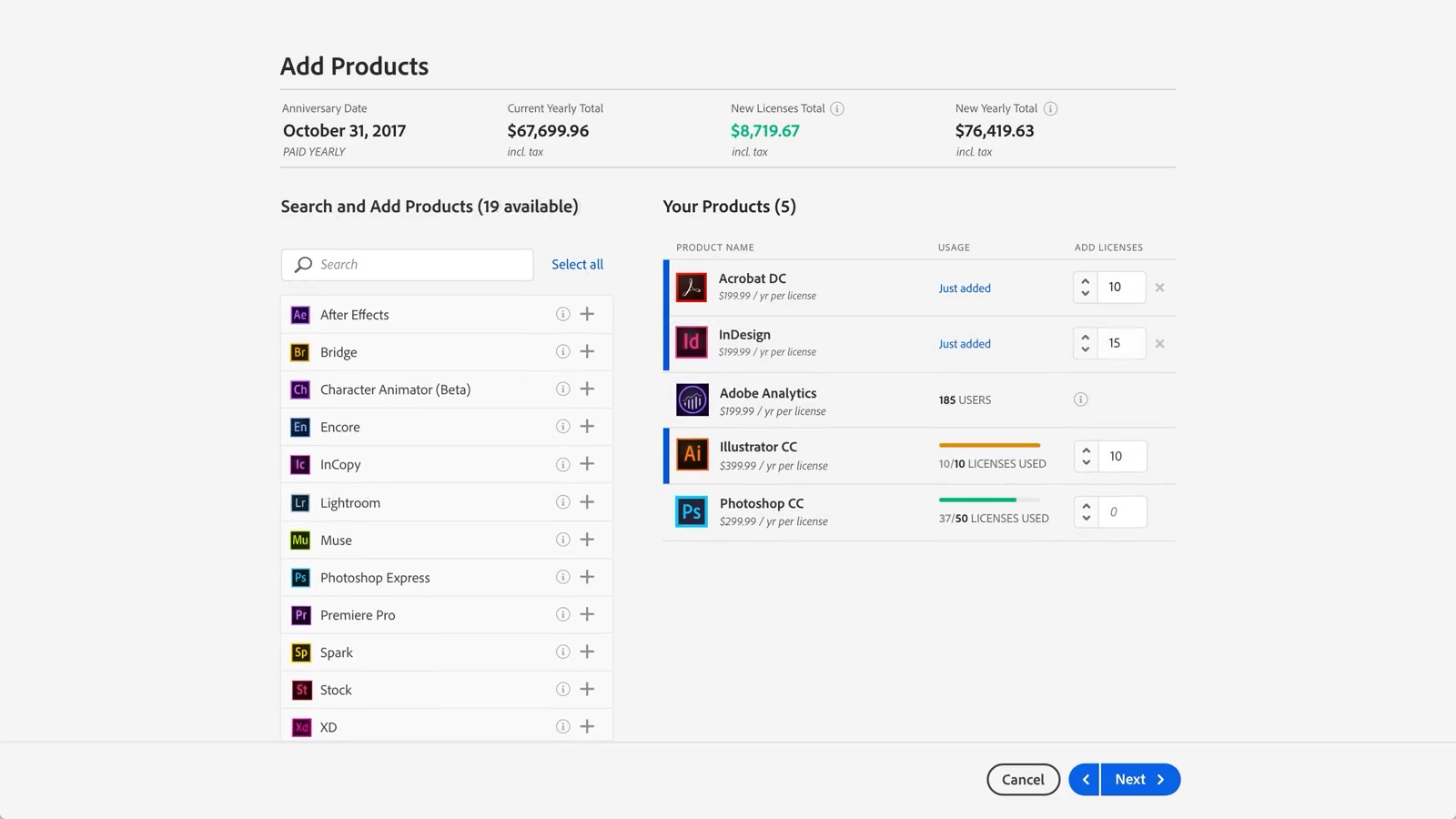
Every cloud in one cart
You could buy Adobe one product at a time, so a team needing Photoshop, Acrobat and Analytics checked out three times. I put every cloud in one cart, and business licence sales rose.
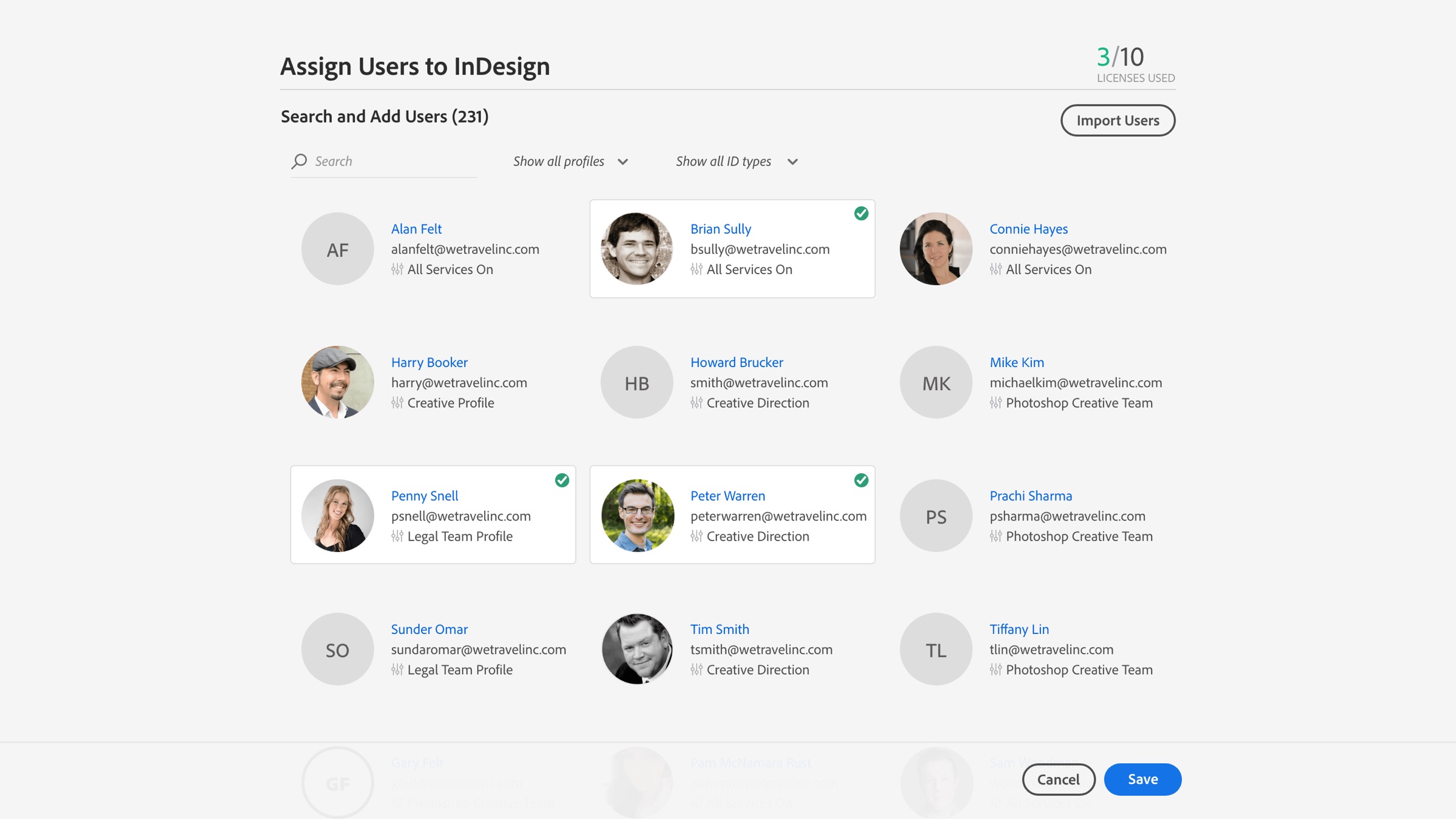
Hundreds of seats in one step
Admins called support to hand out a seat. Now they pick the people, pick the products and save, for one person or two hundred, with each product explaining itself as they go.